Using global variables in components
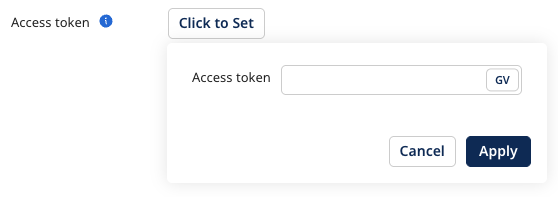
To use a global variable in a component, type the global variable syntax $V{ in the field's text box to view a drop-down list of available variables. For encrypted variables, click GV in the field's text box and select it from the drop-down list.
You can use global variables only in connection settings, trading partner settings, operation settings, and field encryption fields. You can't reference a global variable in a Set Properties step, so you can't use $V{ to set a process property, dynamic process property, or document property. For the full list of supported and unsupported components, refer to Global Variables.
Global variables are not supported for OAuth-encrypted values.
For example, you want to use global variables for the Client ID and Client Secret fields in a Shopify connection in the Production environment.
-
Go to Manage > Global Variables and click Create Variable.
-
You don't need to encrypt the Client ID, so enter the following information:
- Name - SHOPIFY_ID
- Description - Shopify Client ID
- Initial Value - Enter the Client ID for your Shopify app. You can find this information in the Client credentials section in Shopify.
-
Click Create.
-
Create another variable for the Client Secret:
- Encrypt Global Variable - Because this is the Client Secret, it's more secure to encrypt this variable value, so check the box to encrypt.
- Name - SHOPIFY_SECRET
- Description - Shopify Client Secret
-
Click Create.
-
Click the Value Assignment tab and select the Production environment from the Environments drop-down.
-
Click the
{SHOPIFY_SECRET}variable that you created in step 4. -
In the variable pane, click the Encrypted button to open the value field. Enter the Client Secret for your Shopify app. You can find this information in the Client credentials section in Shopify. Then click Apply.
-
Click Save to save the variable value.
-
From the Build page, create a new Shopify connection. On the OAuth 2.0 tab, enter the following information for the Client ID and Client Secret fields:
- Client ID: Type the global variable syntax
$V{and then select SHOPIFY_ID from the drop-down list. - Client Secret: Click Click to Set, then the GV button in the text field. Search for or select SHOPIFY_SECRET from the drop-down list and then click Apply.
- Client ID: Type the global variable syntax
